When it comes to 3D printing, you can’t compromise on reliability and precision. High-speed enclosed 3D printers function under significant mechanical stress. Over hundreds of hours of demanding prints, timing belts naturally experience mechanical wear, rubber fatigue, and gradual elongation. One of the most important components ensuring smooth motion and accurate prints is the XY-axis belt. If your 3D printer has started showing signs like poor print quality or skipped layers, then it’s time to consider a Creality K2 Plus belt replacement.
Why Do Timing Belts Wear Down?
High-speed CoreXY kinematics depend heavily on synchronized dual-belt systems. As both the X and Y motors function simultaneously, belts endure substantial mechanical friction. Some common reasons behind the wear down of belts are:
- Repeated contact against pulleys
- Constant direction changes stretch rubber over time.
- Core micro-fractures
- Misaligned tensioners can lead to edge fraying.
When Should You Go For A Belt Replacement?
Before your printer belt snaps mid-job, your printer will exhibit some clear warning signs. These are:
- Persistent Ringing Or Ghosting: A damaged belt fails to dampen vibrations during directional changes, and this will cause ripples around embossed features.
- Layer Shifts: Extreme looseness may cause the belt to skip teeth during quick moves.
- Visible Rubber Dust: Dark rubber particles will accumulate around the idlers or motor pulleys. This is a common sign of teeth degradation.
Another common sign is loss of tension retention. If you are facing such issues, then don’t ignore them and book a professional Creality k2 plus belt replacement service as soon as possible.
Benefits of Replacing Your Printer Belt
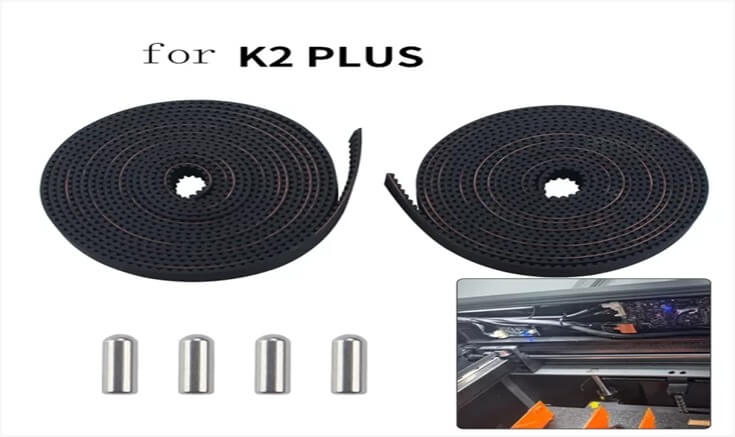
A. Investing in a new Creality K2 Plus beltreplacement kit offers far more than just a quick fix. It helps maintain the long-term health as well as the performance of your 3D printer. One of the most immediate benefits you will enjoy is original print accuracy. You will bring your printer back to factory-level precision.
B. Besides, a belt replacement process helps increase the lifespan of your printer, as a new belt eliminates mechanical stress.
C. The Creality K2 Plus belt replacement solution also helps reduce downtime as well as maintenance issues. You will enjoy smoother operation and consistent results.
Closing Thought
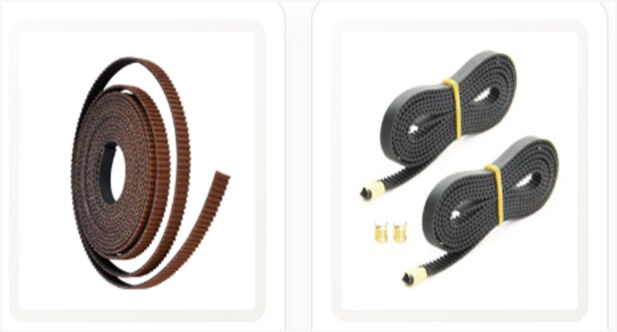
Restoring maximum dimensional accuracy, crisp overhangs, and flawless layer consistency comes down to motion system maintenance. By changing fatigued belts with a dedicated direct Creality K2 Plus belt replacement kit from 3D Radical Prints, you can ensure your Creality K2 Plus printer continues functioning at top speed.
FAQs
How Often Should anXY Axis Belt Be Replaced?
A quality belt can last for around 1,000 to 2,000 printing hours. However, in continuous print environments, you may need to go for a Creality K2 Plus belt replacementevery 500 hours.
Can I UtilizeA Generic Belt Instead Of The Creality K2 Plus Belt?
Even though it is possible, generic belts may not fit perfectly. Besides, they can affect the printing quality and performance.
What Tools Are Required For Belt Installation?
You will need some basic tools such as a screwdriver and a hex key set for a Creality K2 Plus belt replacement.
Is The Belt Kit Compatible With Other Creality Printers?
Well, this kit is designed for the K2 Plus model. You can check out our complete list to buy belt replacement kits for other models.
Should I Lubricate The Replacement Belts?
Don’t apply oil, wet lubricants, or grease to rubber timing belts or toothed pulleys. Belts must stay clean and dry.