
Description
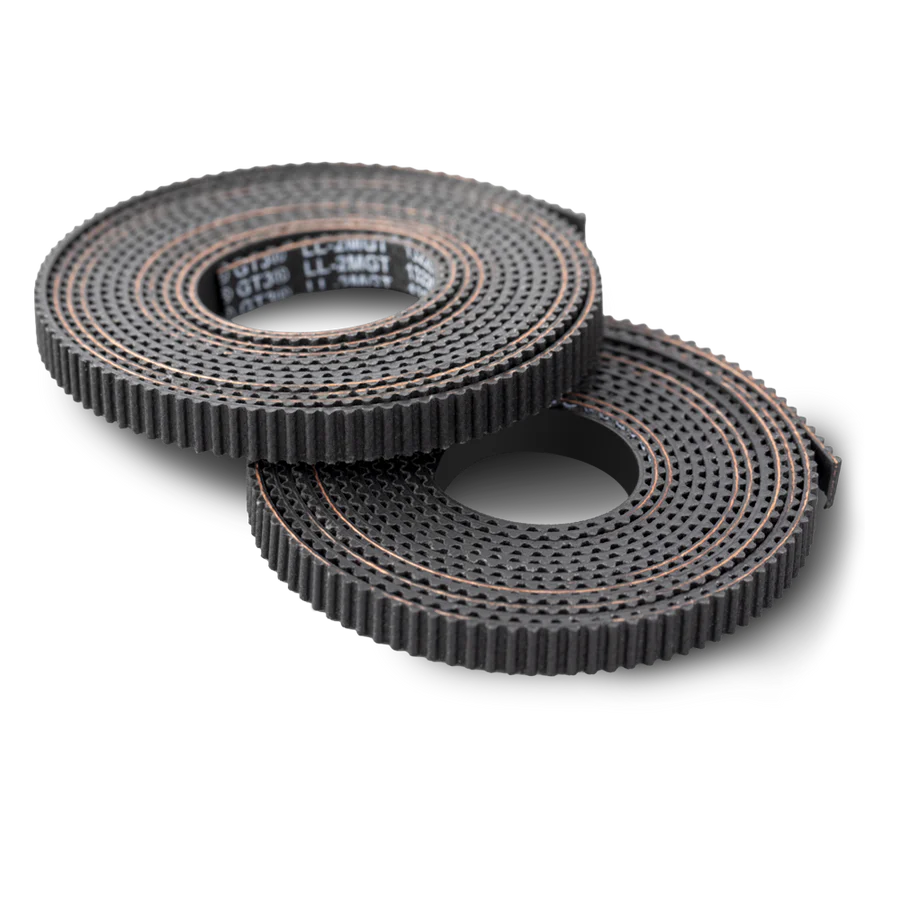
Replacement X & Y Axis Belt Kit for Snapmaker U1
This Gates belt kit includes replacement belts for both the X and Y axes on the Snapmaker U1. Gates is the industry standard for motion belts in 3D printers — known for precise tooth profiles, consistent tension characteristics, and long-term dimensional stability under continuous use.
Timing belts are a wear item. Over hundreds of hours of printing, belts stretch, lose tension, and develop wear on the tooth surfaces. This gradual degradation causes dimensional inaccuracy, layer shifting, ringing artifacts on print surfaces, and inconsistent positioning — problems that worsen slowly and are easy to overlook until print quality has noticeably dropped.
When to Replace
Visible wear, fraying, or cracking on the belt teeth or backing, layer shifting that isn’t caused by loose pulleys or stepper issues, ringing or ghosting artifacts on print surfaces despite correct acceleration settings, belt tension that won’t hold after re-tensioning, and as part of preventative maintenance after extended use.
If you’ve already checked pulley grub screws, stepper drivers, and acceleration settings without resolving quality issues, worn belts are the next most likely cause.
What’s Included
Gates timing belt × 1 (X axis)
Gates timing belt × 1 (Y axis)
Compatibility
This belt kit is designed specifically for the Snapmaker U1. It is not compatible with the Snapmaker Artisan, J1, or A-series models — those printers use different belt lengths and configurations.
Installation
Power off the printer. Release the existing belt tension, remove the old belts, route the new Gates belts along the same path, and re-tension. Ensure the belt teeth are properly seated on the pulleys and idlers with no twisting. Check that tension is firm but not overtight — the belt should deflect slightly when pressed but not feel loose.
Reviews
There are no reviews yet