
Description
Compatible Filament Cutter for Bambu Lab H2D / H2C / H2S
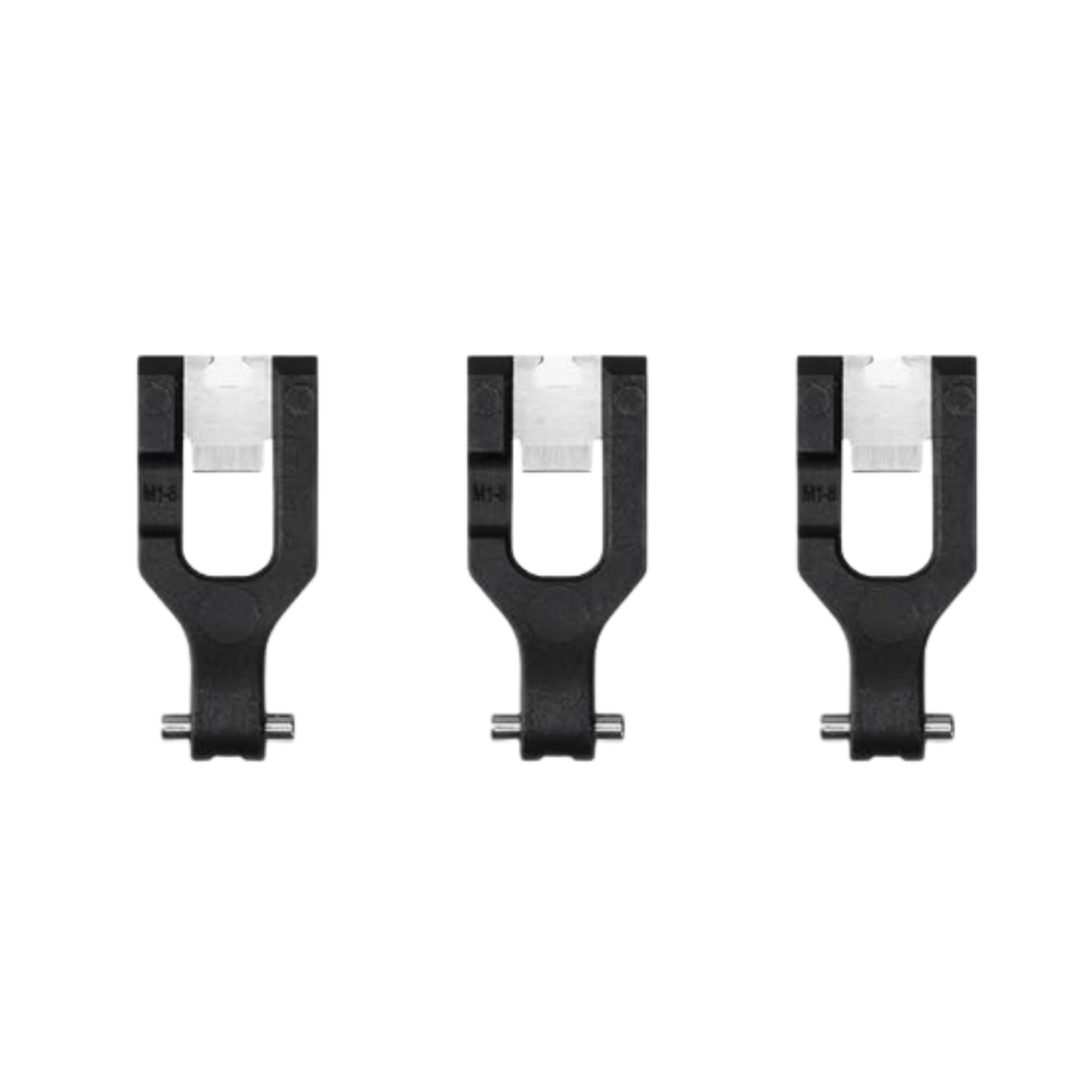
This is a compatible, non-genuine replacement filament cutter blade, engineered to match the fit and function of the OEM Bambu Lab cutter used on the H2D, H2C, and H2S. The filament cutter is the small blade responsible for making a clean, complete cut during every material or colour change — a wear part that dulls over time and can start producing ragged, incomplete cuts once worn. This pack of 3 blades gives you affordable spares without paying OEM pricing.
Why the Filament Cutter Matters
Every colour or material swap on your H2D, H2C, or H2S — whether via the AMS, a dual-nozzle switch, or Vortek hotend change — relies on the filament cutter making a clean cut to separate the old filament from the feed path. A worn or dull blade produces incomplete cuts, leaving a ragged filament tip that can jam the feed mechanism, cause failed unloads, or interrupt multi-colour prints partway through.
Left and Right — Different Levers, Same Blade
Important: the H2D toolhead has a cutter on each side (left and right), and the cutter levers and torsion springs for the left and right sides are different — pay close attention to this distinction during disassembly or replacement. The blade itself in this pack fits both sides; it’s the surrounding lever and spring hardware that differs between left and right positions.
When to Replace
Incomplete or ragged filament cuts during material changes, filament left snagged or caught in the cutter mechanism after a swap, visibly worn or dull blade edge, failed unload or material change errors traced to the cutter, and as part of general toolhead maintenance on high-usage multi-colour setups.
Compatibility
Bambu Lab H2D / H2D Laser
Bambu Lab H2C / H2C Laser
Bambu Lab H2S / H2S Laser
Not compatible with the A1 series, P1/P2 series, or X1C — those printers use different filament cutter mechanisms.
Installation
Power off the printer and disconnect from mains power before starting — never work on toolhead components while the printer is powered on. Use an H2.0 Allen key to remove the fixing screw of the cutter you’re replacing, then take out the cutter lever and torsion spring together from the extruder. Pull the old blade out of the lever, insert the new blade with the notched side facing upward, then reassemble the torsion spring and lever, tightening the fixing screw. Before working on the left cutter, ensure the hotend is switched to the left position.
After installation, confirm the cutter is not loose, rebounds smoothly, and cuts filament cleanly before resuming normal use. Refer to the official Bambu Lab Wiki “Replace H2D/H2C Filament Cutter Lever and Blade” guide for the general step-by-step procedure — installation steps are the same regardless of whether the blade is genuine or compatible.
What’s Included
Compatible replacement filament cutter blade × 3



Reviews
There are no reviews yet