
Description
Hotend Heating Assembly for Bambu Lab P2S
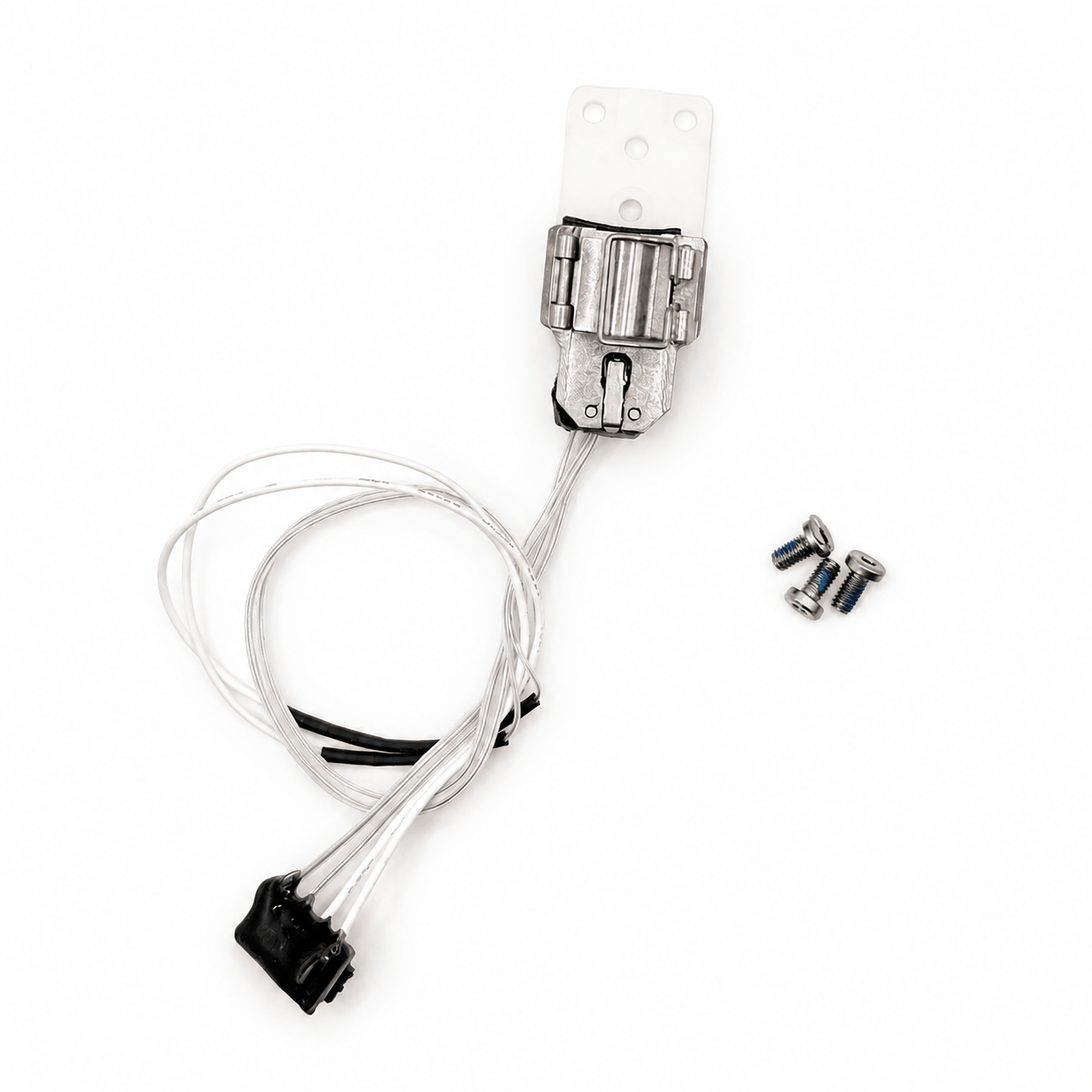
This compatible hotend heating assembly is a direct replacement for the Bambu Lab P2S and P2 series — the toolhead-mounted component responsible for heating filament to a molten state. If your hotend is showing heating errors, has damaged cables, or the assembly has suffered physical damage, this complete kit restores full function without needing to source individual components separately.
Complete Kit — Not Just a Heater
Unlike buying a bare heater cartridge, this kit includes everything needed for a full heating assembly replacement: heater cartridge, thermistor, insulating base, and the metal hotend clip — installed as one complete unit ready to clamp your existing hotend into place.
Zirconia Ceramic Base
The insulating base is constructed from zirconia ceramic, rated to withstand temperatures up to 2300°C — dramatically beyond anything the hotend itself will ever reach. This provides excellent thermal isolation between the heated zone and the rest of the toolhead, supporting stable, accurate temperature control and reducing heat bleed into surrounding components.
Quick-Change Clamping Design
The P2S uses a clamping mechanism to secure the hotend heating assembly, allowing fast removal for maintenance or replacement without extensive disassembly. This is the same quick-change philosophy Bambu Lab uses across their heating assembly design — swap the assembly, reclip the hotend, and you’re back to printing.
When to Replace
Abnormal or failed heating function on the hotend, damaged or frayed heating assembly cables affecting reliable operation, clear physical damage to the assembly from mishandling, impact, or a toolhead crash, and as part of general toolhead maintenance when the printer has been diagnosed with a heating-side fault.
Compatibility
Bambu Lab P2S and P2 series.
Not compatible with the H2D, H2C, or A1 series — each Bambu Lab printer family uses its own heating assembly interface, and these are not cross-compatible even where components look similar.
Installation
This is an internal toolhead repair. Power off the printer and disconnect from mains power before starting. Allow the hotend to fully cool — never touch the heat block while hot. Remove the toolhead front and rear covers, then the hotend silicone sock and hotend itself, before accessing the heating assembly. Follow the official Bambu Lab Wiki guide “Hotend Heating Assembly and Cooling Fan Replacement Guide for the P2S” for the complete step-by-step procedure, including correct cable routing to avoid pinching or damage.
After installation, power on the printer and heat the hotend to 100°C to verify normal temperature rise and correct cooling fan operation before resuming normal use.
What’s Included
Hotend heating assembly × 1 (heater cartridge, thermistor, zirconia ceramic insulating base, metal clip)
M2.5×5 mounting screws × 3


Reviews
There are no reviews yet