
Description
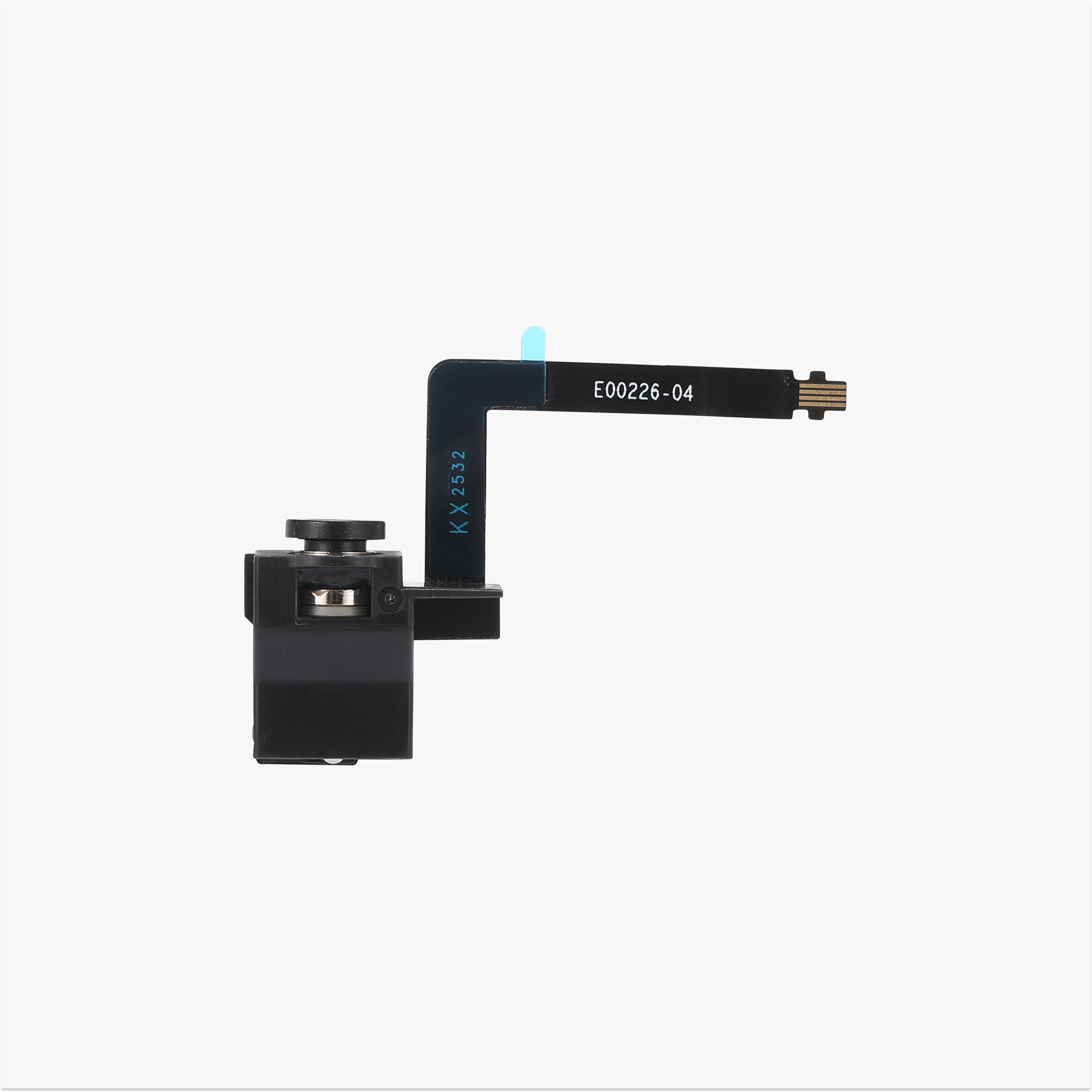
Extruder Filament Sensor (Left) for Bambu Lab X2D — Compatible Replacement
This compatible left filament sensor replaces the Hall detection board on the left side of the Bambu Lab X2D extruder. It mounts on the upper left of the extruder and detects whether filament is present, as well as the position of the filament cutter lever. If your X2D reports a filament runout while filament is still loaded, or doesn’t notice a new spool being fed in, a failed sensor is a common cause.
It’s an aftermarket alternative to the Bambu Lab part, made to fit the left extruder position.
What the Filament Sensor Does
The sensor board sits on the upper left of the left extruder and reads whether filament is in place. During multicolour printing it recognises filament moving in and out of the extruder and works with the AMS to switch filament smoothly. It also helps the printer pause on a runout or a breakage instead of printing on with no material, which prevents failed prints.
Contactless Hall-Effect Detection</h2
The board uses a Hall-effect sensor, so detection is contactless, with no moving parts that can wear out or catch on the filament. It works with the full range of filament types, including flexible and composite materials.
When to Replace
False filament runout alerts with filament still loaded, new filament not being detected when fed into the left extruder, false filament unload errors or cutter jam alerts, intermittent detection that comes and goes, visible damage or a damaged ribbon cable on the board, and as part of extruder maintenance after a filament jam or collision.
Before replacing, check the sensor connection is fully seated and the filament path is clear. A loose connector or debris in the path can mimic a failed sensor.
Left vs Right
The X2D has two extruders, and each has its own filament sensor. This listing is for the left side only. The right sensor is a separate part. If the fault is on the right extruder, order the right-side sensor instead.
Installation
Power off and unplug the printer before starting. Remove the extruder cover to access the board, disconnect the old sensor, fit the new board with the two mounting screws, and reconnect it, making sure the connector is fully seated. Refer to the Bambu Lab Wiki guide for replacing the X2D extruder components for the full step-by-step procedure.
Compatibility
Bambu Lab X2D — left extruder only
Not compatible with the right extruder of the X2D, or with the P1, X1, P2S, A1, or H2 series, which use different sensor boards.
What’s Included
Left Hall detection board × 1
BT2x5 mounting screws × 2
About This Part
This is a compatible, non-genuine part made to fit the Bambu Lab X2D. Check the connector is fully seated and the board is secure before printing.


Reviews
There are no reviews yet