
Description
Bambu Lab H2D — More Than a Dual-Nozzle 3D Printer
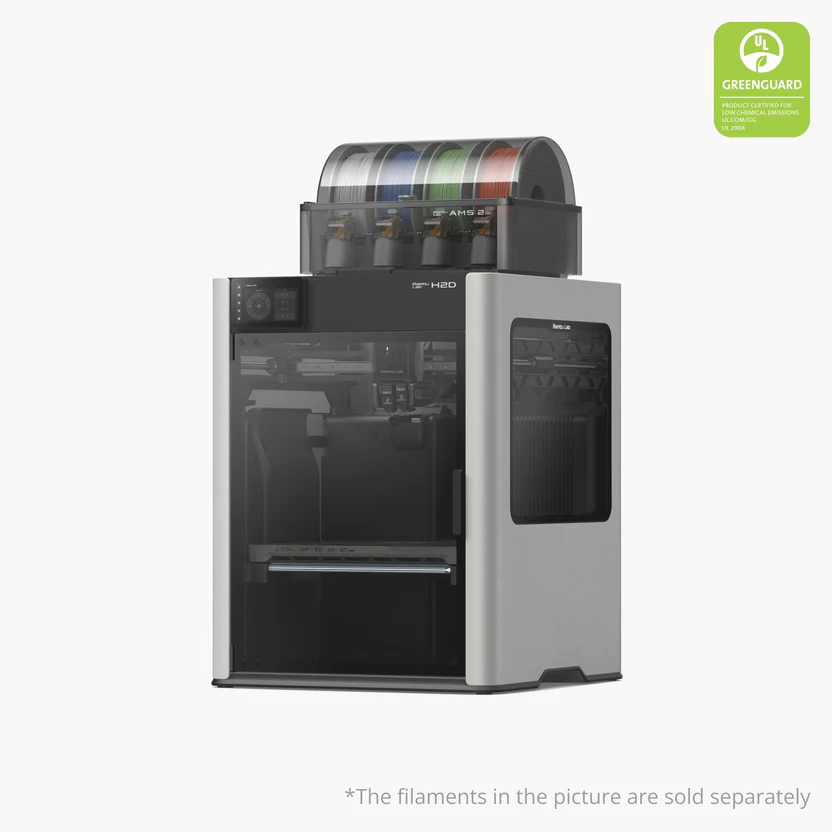
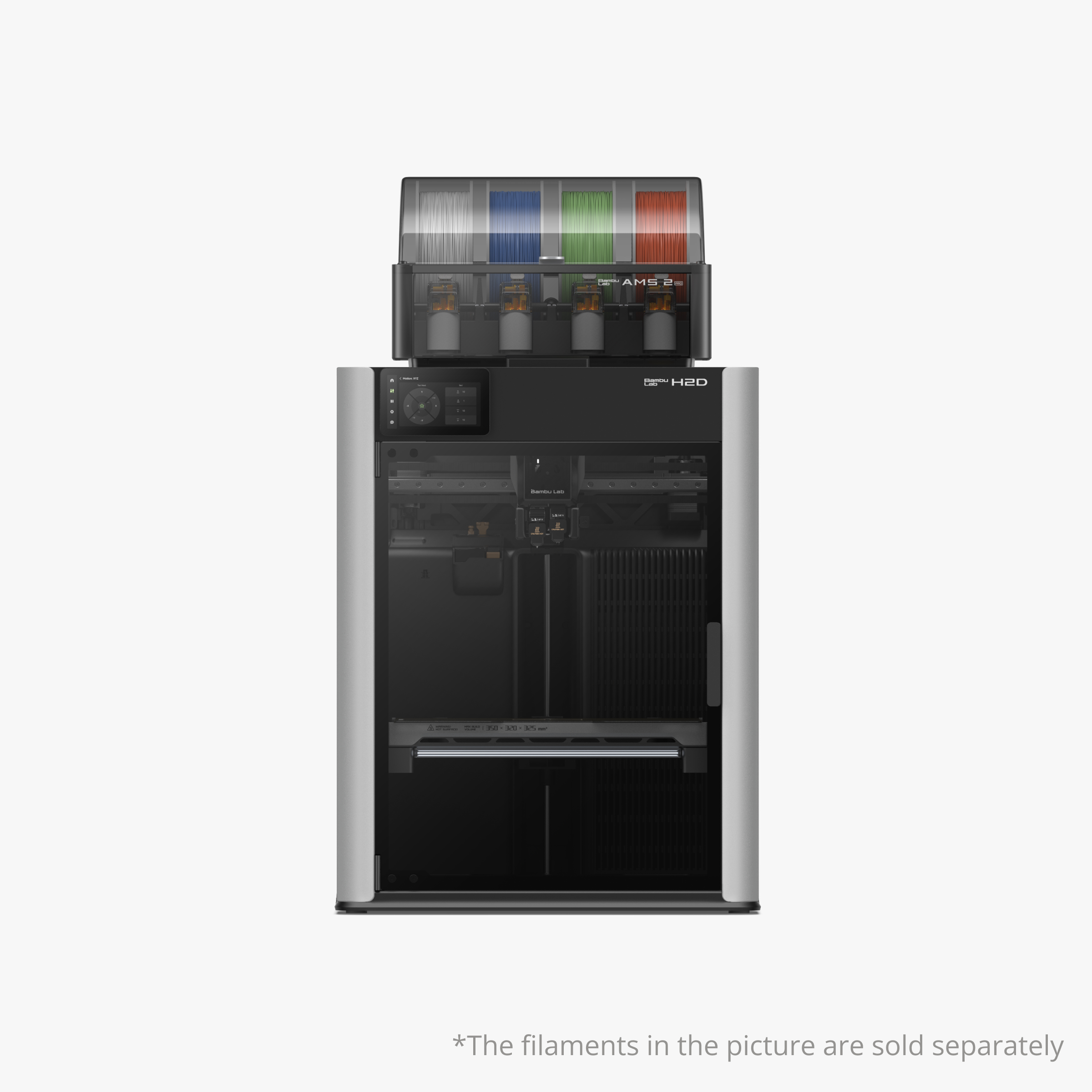
The Bambu Lab H2D combines a dual-nozzle 3D printing system with optional laser engraving, cutting, and pen plotting capability in a single fully enclosed, actively heated machine. Two independent, switchable nozzles enable genuine multi-material and multi-colour printing without the purge cycles of single-nozzle AMS systems, while a 65°C heated chamber unlocks engineering-grade materials that open-frame printers can’t handle reliably.
With a 350 × 320 × 325mm build volume, 50μm motion accuracy, and AI-driven monitoring across the entire filament path, the H2D is built for makers and small businesses who want one machine that does more than just print.
Dual-Nozzle Switching — Multi-Material Without the Waste
The H2D’s two nozzles heat independently up to 350°C and switch between each other with lightweight, precise mechanics. When you slice a file in Bambu Studio, you can choose which hotend handles the job — left or right — and for certain filaments like TPU or PPS/PPA-CF, Bambu recommends using a specific hotend for best results. Because the nozzles are physically separate rather than sharing a melt path, multi-material and multi-colour prints avoid the mixing and purge waste of single-nozzle systems.
Eddy current sensing technology delivers fast, contact-free, fully automatic dual-nozzle offset calibration before every print — the measurement is unaffected by nozzle contamination, so you get reliable alignment print after print.
High-Flow Hotend — Speed Without Compromise
The purpose-built high-flow hotend (optional accessory) is engineered for reliable high-speed printing at up to 600mm/s (measured with Bambu PLA Matte), eliminating the mid-print flow restrictions that limit speed on standard nozzles — regardless of print size or complexity.
65°C Active Heated Chamber
The fully enclosed chamber actively heats to 65°C, creating the stable thermal environment needed for warp-free printing with ABS, ASA, PC, PA, and carbon/glass fibre reinforced composites. The chamber briefly holds maximum heating power (up to 3 minutes) to reach target temperature quickly, then maintains it efficiently throughout the print.
Intelligent Extrusion & Filament Monitoring
Bambu’s PMSM servo extruder architecture runs 20kHz torque and position sampling to dynamically stabilise extrusion and detect filament grinding or clogging in real time. Beyond a single run-out sensor, the H2D uses 15 sensors distributed across the AMS-to-nozzle path, continuously tracking feeding velocity, tension, filament tip location, extruder thermal environment, and dynamic extrusion pressure.
An AI-backed nozzle camera with a macro lens continuously monitors extrusion patterns, catching material accumulation, filament deviation, and extrusion failures as they happen.
Pre-Flight Checks Before Every Print
Before each print, the H2D’s vision system runs a full pre-flight checklist — scanning the entire build surface for debris and auditing hardware configuration to confirm nozzle dimensions and build plate properties automatically.
50 Micron Motion Accuracy
With the optional Vision Encoder (5μm resolution optical measurement), the H2D achieves 50-micron motion accuracy across the entire workspace — precise enough to print parts that fit standard components like steel shafts without gap adjustment, using Bambu Studio’s specialised calibration for compatible Bambu filaments.
Optional Laser & Cutting Modules
The H2D supports optional 10W and 40W laser modules and a cutting module, extending the machine into engraving, cutting, and mixed-media work.
BirdsEye Camera (Laser Edition)
Delivers top-view alignment accuracy up to 0.3mm — true “what-you-see-is-what-you-get” tool path placement on your material. Combined with Bambu Suite, it can automatically arrange projects to match irregular material shapes, such as offcuts from a previous job.
Print-Then-Cut Workflow
Print a graphic with a compatible printer, then use the H2D to cut it out — the AI camera automatically aligns the cutting path to the graphic for precise registration with minimal manual effort.
Laser Safety
Operate and monitor laser projects without goggles thanks to built-in safety windows. A single tap triggers automated laser focus verification and material measurement. High-speed air cooling on the laser path improves surface quality and cut precision. An efficient exhaust system removes smoke and dust from laser operations, minimising the impact on print precision and printer lifespan with regular cleaning.
Note: Developer Mode cannot be enabled while using Laser or Cutting functions, for safety.
Connectivity
Cloud connectivity for remote control from any device, full offline operation for security-sensitive environments, and Developer Mode with MQTT port access for third-party integration.
Supported Materials
PLA, PETG, TPU, PVA, BVOH, ABS, ASA, PC, PA, PET, PPS, PPA, plus carbon and glass fibre reinforced variants of the above.
Specifications
Build volume: 350 × 320 × 325 mm (using identical filaments in both nozzles)
Toolhead: Dual-nozzle switching system, independent left/right hotends
Max nozzle temperature: 350°C
High-flow hotend: Optional, up to 600mm/s print speed
Chamber: Fully enclosed, active heating up to 65°C
Motion accuracy: 50μm (with optional Vision Encoder, 5μm resolution)
Nozzle calibration: Automatic, eddy current sensing, contact-free
Extruder: PMSM servo, 20kHz torque/position sampling
Filament monitoring: 15 sensors across AMS-to-nozzle path
Camera: AI-backed nozzle camera with macro lens; BirdsEye camera (laser edition)
Optional add-ons: 10W/40W laser module, cutting module, Vision Encoder
Connectivity: Wi-Fi, cloud, full offline mode, Developer Mode (MQTT)
Which Configuration Should You Choose?
Choose the standalone H2D if you already own a first-generation AMS or plan to print primarily single-material. Choose the AMS Combo for immediate multi-colour, multi-material printing out of the box. Choose the Laser Full Combo if you want to combine 3D printing with laser engraving and cutting in one machine.
Nick –
the ams has had occasions where it cannot feed the spool even thought the spool rotates freely. it seems to be on the same one slot no. 2