
Description
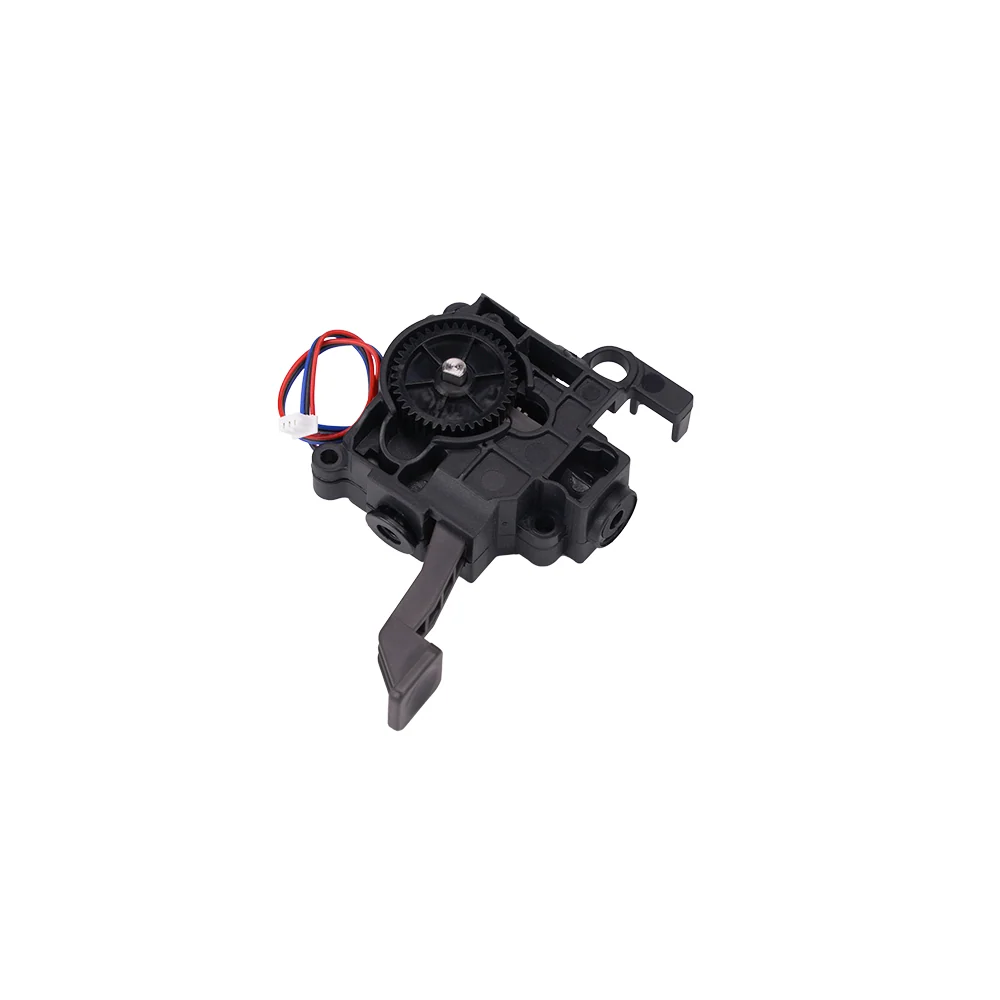
Extruder Assembly for Anycubic Kobra S1 / S1 Combo
This is a complete, pre-assembled extruder module for the Anycubic Kobra S1 and Kobra S1 Combo. It replaces the whole filament feeding and drive mechanism in one piece, with the drive gears, motor, and detection sensors already built in, so you can swap it in and get back to printing without separate adjustments.
If your S1 is clicking, slipping, grinding filament, or feeding inconsistently, replacing the extruder module is the fastest and most reliable fix.
Direct-Drive Design
The Kobra S1 uses a short-path direct-drive extruder, mounted directly on the print head. That shortens the distance from the drive gears to the hotend, which gives more precise control over extrusion and makes flexible filaments like TPU far easier to print than on a bowden-style setup.
Dual Drive Gears
Dual drive gears grip the filament from both sides, giving a strong, even feed that resists slipping and grinding, including with composite and abrasive filaments.
Built-In Detection Sensors
The module includes the filament runout and break detection circuit, and the cutter detection sensor, so the printer can pause when filament runs out or breaks, and confirm the cutter is working during filament changes. These are part of the assembly, so there’s nothing extra to install or wire up.
Up to 320°C
The assembly is rated for temperatures up to 320°C, matching the S1’s high-temperature capability.
Plug-and-Play Replacement
The module comes fully pre-assembled, with the sensors, drive gears, and key components pre-installed and the wiring ready to connect. No extra adjustment is needed after fitting.
When to Replace
Clicking, grinding, or skipping from the extruder, filament slipping or showing chewed marks from the drive gears, inconsistent extrusion or under-extrusion despite dry filament and a clear nozzle, filament runout or break detection not triggering or giving false alarms, cutter detection errors, visible wear or damage to the gears, housing, or wiring, and as part of a full toolhead rebuild after a collision or jam.
Installation
Power off and unplug the printer before starting. You’ll need an S2.0 and an S2.5 Allen key. Remove the front outer shell of the print head and unplug the fan connector, release the PTFE tube from the extruder by removing the blue buckle, and take out the old extruder module. Fit the new module, then refit the strain gauge assembly and the cutter assembly onto it, and tighten all fixing screws. Reinsert the PTFE tube and secure it with the blue buckle, refit the print head housing, and plug the model cooling fan connector back in. Make sure the housing is tight and not loose.
Refer to the Anycubic Wiki “Kobra S1 Extruder Module Replacement Guide” for the full step-by-step procedure.
Compatibility
Anycubic Kobra S1
Anycubic Kobra S1 Combo
Anycubic Kobra S1 ACE 2 Pro Combo
Not compatible with the Kobra S1 Max or Kobra S1 Max Combo, which use a different extruder, or with the Kobra 2, Kobra 3 or Kobra X series.
What’s Included
Extruder module × 1 (pre-assembled with drive gears, motor, and detection sensors)
Reviews
There are no reviews yet