
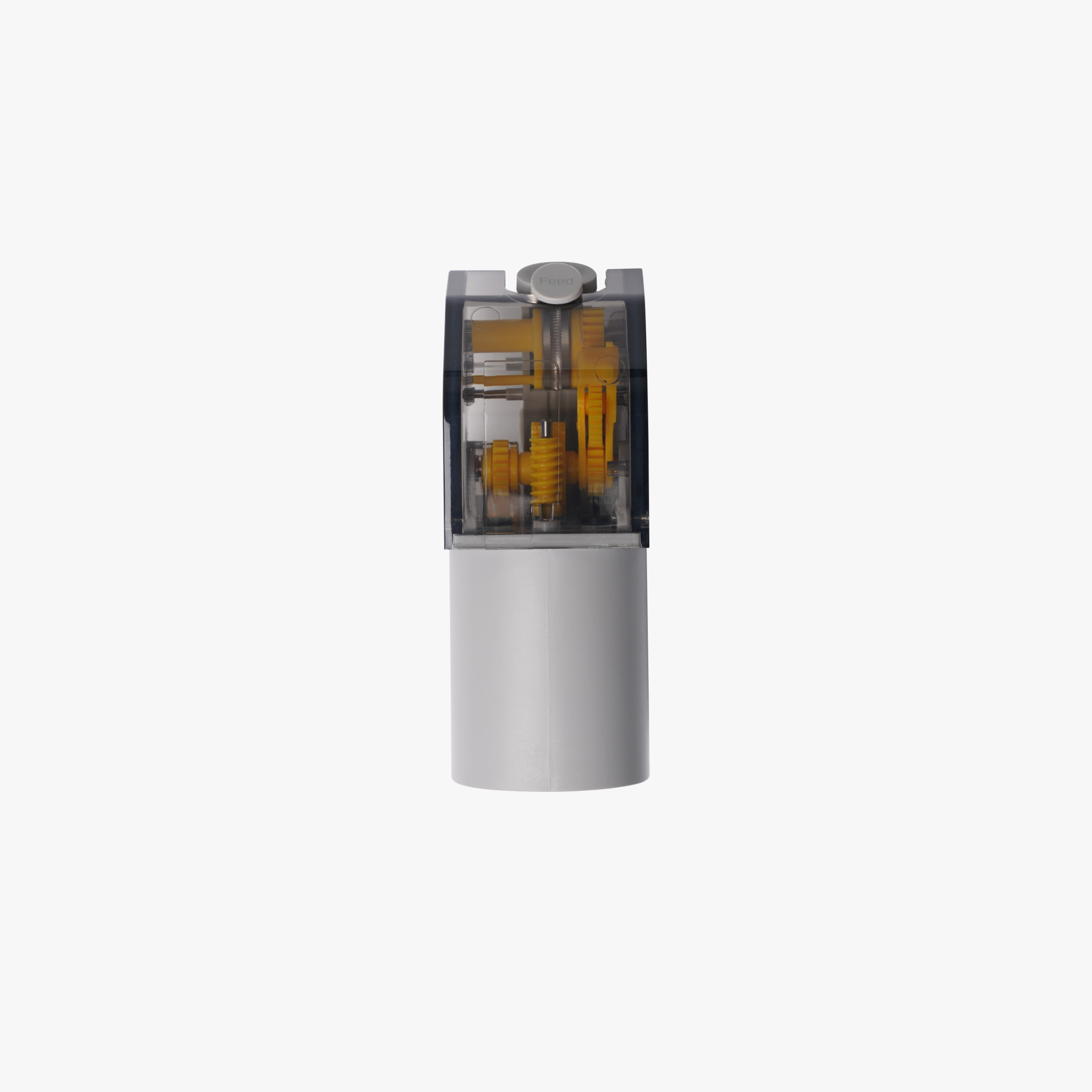
Description
Bambu Lab AMS Feeder Unit (Hall) — Original AMS
This is the genuine OEM feeder unit for the original Bambu Lab AMS — the component that actively drives filament forward into the printer, or winds it back onto the spool, for each of the AMS’s four slots. Each feeder unit has its own dedicated motor and gears, along with an integrated Hall effect sensor that detects when filament is inserted and automatically triggers the pre-feed function.
What the Feeder Unit Does
Every AMS has four feeder units — one per slot — each independently driving filament forward or reeling it back as printing requires. When you insert filament into a slot, the Hall sensor detects its presence and the feeder unit automatically pulls it in and begins feeding. When filament needs to be wound back (for a colour change or unload), the feeder unit drives the AMS Active Support Shaft to rotate the spool accordingly.
Why the Hall Sensor Matters
The integrated Hall effect sensor is what tells the AMS filament has actually been inserted, kicking off the automatic pre-feed sequence. A faulty sensor is one of the most common causes of “filament not detected” errors — the AMS simply doesn’t know filament is present, even though it’s physically loaded in the slot.
When to Replace
“Filament not detected” errors despite filament being correctly inserted, gear errors or visible mechanical damage to the feeder unit, unstable or inconsistent detection switch behaviour, feeder unit failing to pull filament in automatically, and filament winding/rewinding issues traced to one specific slot rather than the AMS as a whole.
Circuit Board Revision Note
The AMS feeder unit’s circuit board has been upgraded to optimise performance. This upgrade affects AMS units built on the earliest mainboard version. Confirm your AMS mainboard version on the Bambu Lab Wiki before ordering, to ensure the replacement feeder unit is compatible with your specific AMS.
Not Compatible with AMS 2 Pro
This feeder unit is for the original AMS only — it is not compatible with the AMS 2 Pro. The AMS 2 Pro uses its own dedicated feeder unit with a different fitment. Ordering the wrong version will not fit your AMS.
What’s Included
AMS Feeder Unit (Hall) × 1
Each AMS contains 4 feeder units total — order the quantity you need based on how many slots require replacement.
Compatibility
Bambu Lab AMS (original/first-generation) — X1, X1C, X1E, P1P, P1S.
Not compatible with the AMS 2 Pro, AMS Lite, or AMS HT — those use their own dedicated feeder/first-stage feeder components.
Installation
Power off the printer and disconnect it from the AMS before starting. Open the AMS cover, disconnect the PTFE tube and correlating cable for the slot you’re replacing, then unscrew the 4 fixing screws (BT2×8) on the feeder unit’s underside and press both sides to release it. Reverse the process to install the replacement, ensuring you use the connectors marked for your specific slot. Refer to the official Bambu Lab Wiki “Replacing the AMS Feeder Unit” guide for the complete step-by-step procedure, including reassembly of the middle frame and reconnection of the bus and power cables.
Specifications
Sensor: Integrated Hall effect filament detection
Function: Drives filament forward/backward per slot, auto-triggers pre-feed
Quantity per AMS: 4 feeder units total
Compatibility: Original Bambu Lab AMS only (not AMS 2 Pro)

Reviews
There are no reviews yet