
Description
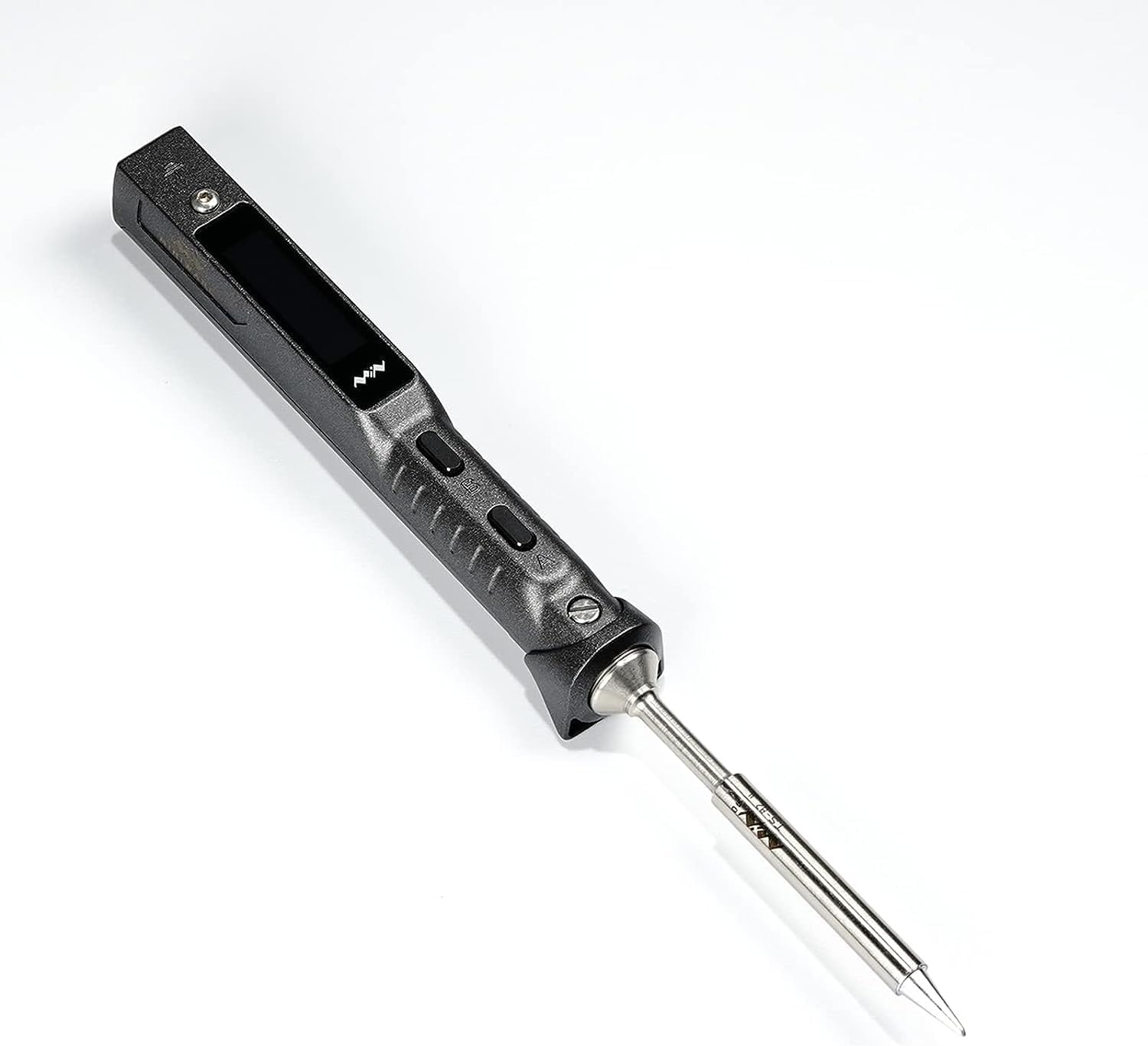
Miniware TS101 — The Smart Soldering Iron for Makers
The Miniware TS101 is a compact, lightweight smart soldering iron that has become a staple in the 3D printing, RC, and electronics maker community. It heats up in 9–15 seconds, adjusts from 50°C to 400°C via the built-in OLED display, and powers from either USB-C PD or a DC barrel jack — meaning you can run it from a laptop charger, USB-C power bank, LiPo battery, or bench power supply.
It’s the upgraded successor to the hugely popular TS100, with USB-C power delivery, a wider OLED screen, boost mode, and improved menu system — while remaining fully compatible with the extensive range of affordable TS100 soldering tips.
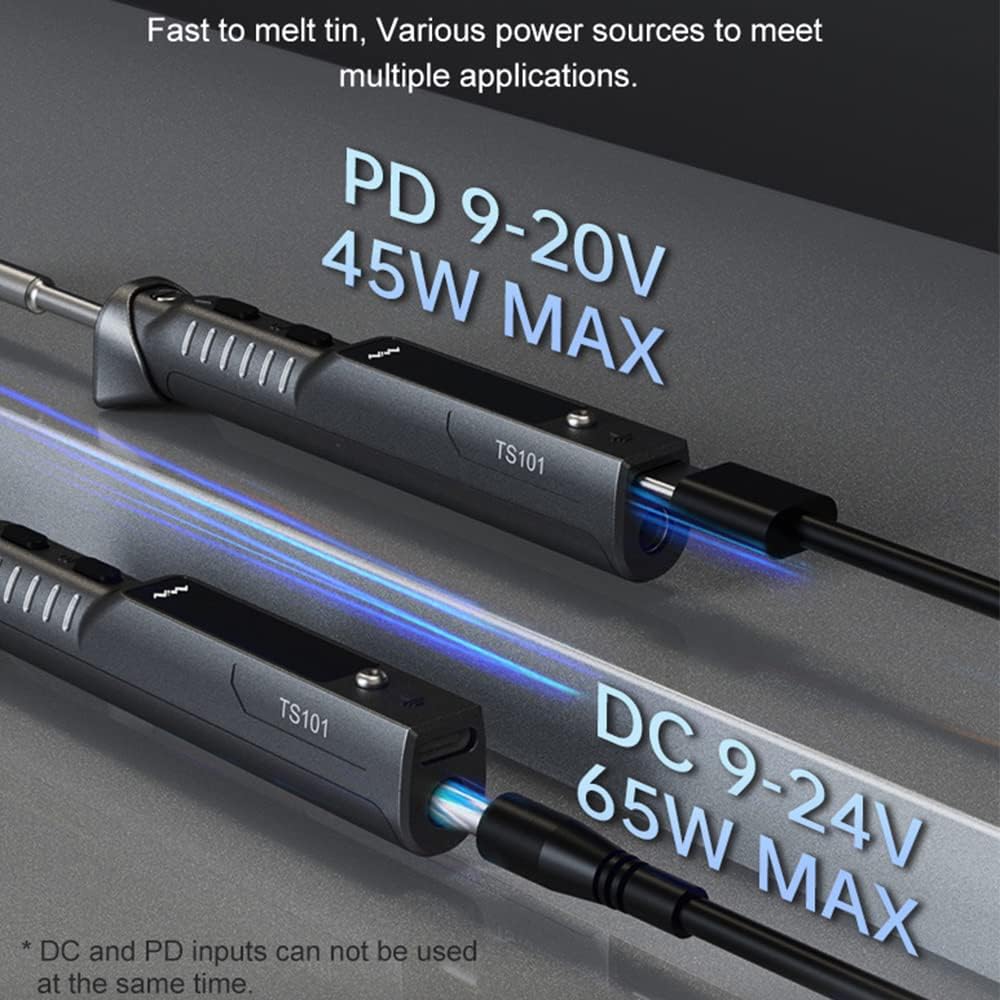
Dual Power Input — USB-C or DC
USB-C PD (up to 90W)
Power the TS101 from any USB-C PD charger, power bank, or laptop adapter. With a PD 3.0/3.1 compatible power source, the iron delivers up to 90W — more than enough for any soldering task. This makes the TS101 genuinely portable — grab a USB-C power bank and solder in the field, at a maker meetup, or at the flying field.
DC Barrel Jack (up to 65W)
The DC5525 barrel jack accepts 9–24V input for up to 65W. Run it directly from a bench power supply, a 3S or 4S LiPo battery, or any compatible DC adapter. This is the preferred input for workshop use where maximum consistent power is needed.
OLED Display & Smart Controls
The 128×32 pixel OLED screen shows real-time temperature, power input voltage, and current settings. Two front-panel buttons control temperature adjustment, menu navigation, and the Boost function. The display is bright, clear, and readable at a glance during soldering.
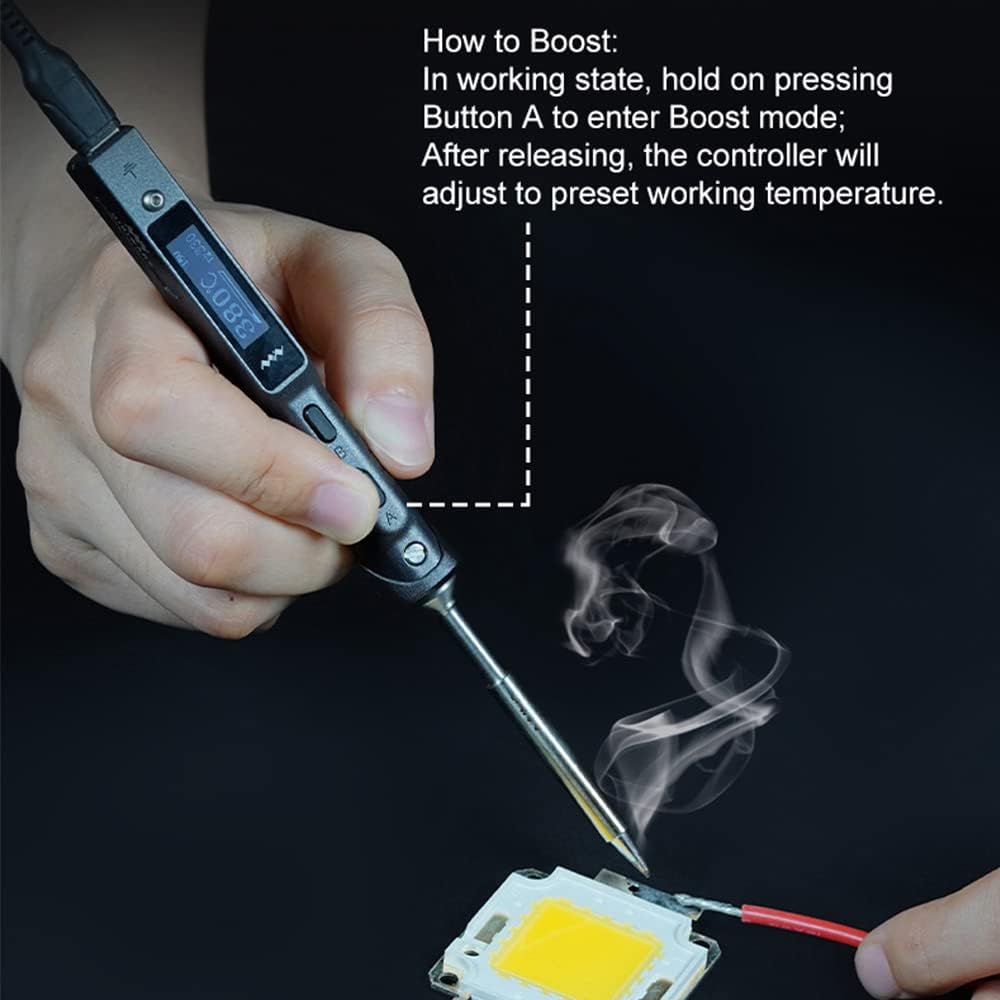
Boost Mode
Press and hold a button to instantly ramp the iron to maximum temperature for challenging joints — large ground planes, thick leads, and thermal mass that would otherwise cool a lower-wattage iron. Release to return to your set temperature.
Smart Sleep & Safety
A built-in accelerometer detects when the iron is set down and not in use. It automatically reduces temperature during idle periods and shuts down completely after a configurable timeout — preventing tip damage, saving power, and reducing the risk of burns or fire from a forgotten iron.
Compatible with TS100 Tips
The TS101 uses the same tip interface as the TS100, giving you access to a huge range of affordable, widely available soldering tips in every profile — conical, chisel, knife, bevel, and fine point. If you already own TS100 tips, they work directly with the TS101.
Open-Source Firmware
The TS101 supports open-source firmware customisation. Connect via USB-C to your computer to update firmware, edit configuration files, adjust default temperatures, and even upload a custom boot logo (128×32 pixel BMP image). The maker community has developed extensive firmware options for the TS100/TS101 platform.
Ideal For
3D printer electronics — mainboard wiring, thermistor replacements, and hotend repairs
RC model building — ESC wiring, motor leads, battery connectors
General electronics repair and assembly
Field soldering powered from USB-C power banks or LiPo batteries
Hobbyists and professionals who want a portable, precise, and powerful iron
Specifications
Power input: USB-C PD 9–28V (up to 90W) / DC barrel jack 9–24V (up to 65W)
Temperature range: 50–400°C
Heat-up time: 9–15 seconds
Display: 128×32 OLED
Interface: Two-button front panel
Sleep mode: Accelerometer-based motion detection
Tip compatibility: TS100 tips
USB-C: Power input + computer connection for firmware/config
Firmware: Open-source, customisable




Reviews
There are no reviews yet