
Description
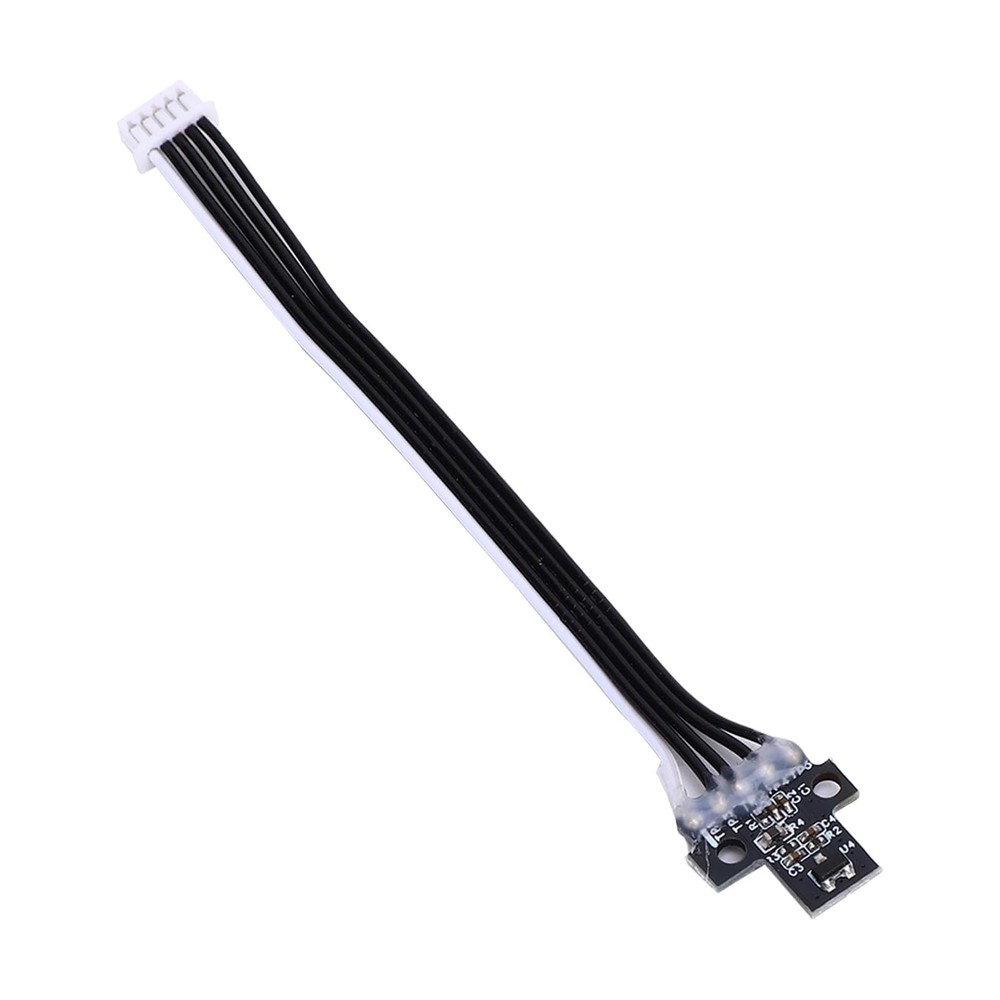
Hall Switch Board (Filament Sensor) for Bambu Lab X1 / X1C — Compatible Replacement
This compatible Hall switch board replaces the extruder filament sensor on the Bambu Lab X1 and X1 Carbon. It sits in the extruder and detects whether filament is present, and it also reads the position of the filament cutter lever. When the board fails, the printer starts throwing filament sensor errors, reports a runout with filament still loaded, or doesn’t notice new filament being fed in.
It’s an aftermarket alternative to the Bambu Lab part, made to fit the original mounting points.
What the Hall Switch Board Does
The board has two jobs inside the extruder:
Detects Filament
It senses whether filament is present in the extruder, so the printer knows when you’ve loaded a new spool, and can pause the print if filament runs out or snaps, which prevents failed prints.
Detects the Cutter Lever
It also reads the position of the filament cutter lever, which the printer uses during filament changes and unloading. A faulty board can cause cutter errors even when the cutter itself is fine.
Contactless Hall-Effect Detection
The board uses Hall-effect technology, so detection is contactless, with no moving parts that wear out or catch on filament.
When to Replace
Persistent “Filament Sensor Error” messages, “No filament detected” alerts with filament loaded, false filament runout alarms mid-print, the printer prompting you to pull out filament from the external spool when none is in the tube above the toolhead, the printer asking you to feed filament in when it’s already in the extruder, cutter detection errors, and a damaged board or ribbon cable.
Before replacing, check the connector is fully seated and the filament path is clear. A loose cable or debris in the extruder can look like a failed sensor.
Installation
Power off and unplug the printer before starting. Remove the extruder cover to reach the board, disconnect the old sensor, fit the new board and secure it, and reconnect the cable, making sure the connector is fully seated. Refer to the Bambu Lab Wiki guide for replacing the X1 series filament sensor (Hall switch) for the full step-by-step procedure.
Compatibility
Bambu Lab X1
Bambu Lab X1 Carbon (X1C)
This board is for the X1 and X1C only. The X1E, P1P, P1S, and other Bambu Lab printers use different sensor boards, so check the correct version before ordering.
What’s Included
Hall switch board × 1
Mounting screws
About This Part
This is a compatible, non-genuine part made to fit the Bambu Lab X1 and X1C. Check the connector is fully seated and the board is secure before printing.



Reviews
There are no reviews yet